Can I use Mobile Point-of-sale as a terminal?
Yes, you can!
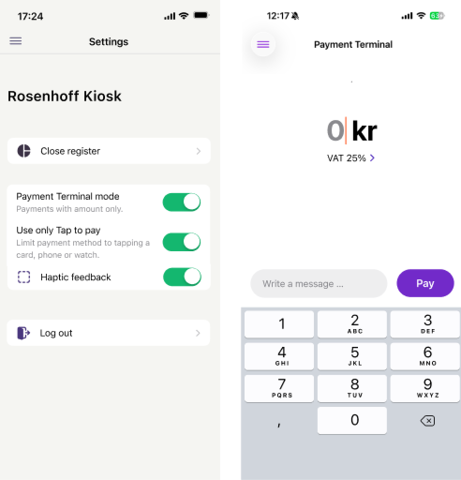
To turn on terminal mode, just follow these steps:
- Go to ‘Settings’
- Tap ‘Use as payment terminal’
- Only want card payments? Turn on ‘Use Tap to Pay only’ as well
- Go to the menu and choose ‘Payment terminal’
- Enter the amount and choose the correct VAT rate. VAT is included in the amount you enter.
This means you can:
- Use Mobile Point-of-sale only as a terminal
- Make it even easier to only accept card payments
- Avoid having to add products and categories
Perfect if you only need a terminal, or if you’ve previously used Mobile Point-of-sale with variable amounts.